Lumina: AI Prompting Mastery
Employees were treating AI like a search engine. I built a gamified module that changed that.
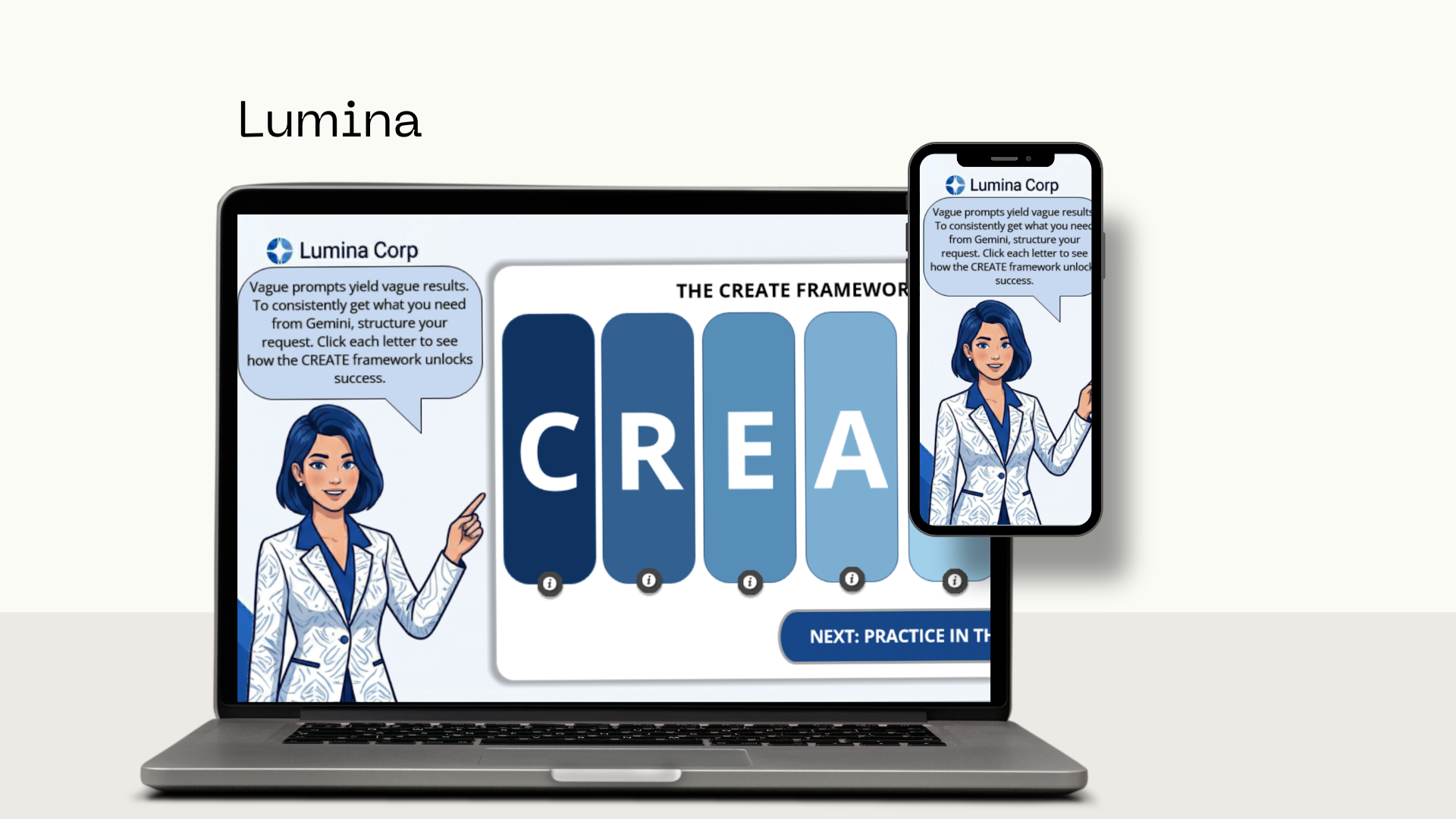
Project Overview
The Audience
Employees at Lumina: All staff members, ranging from new hires to experienced professionals, across all departments, participating in corporate training and development programs.
Responsibilities
- Instructional Design: Action Mapping, Storyboarding, Visual Design, Prototyping, Authoring.
- eLearning Development: Full lifecycle creation.
Tools Used
The Problem
Learners at Lumina Corp were generating vague, mediocre results from Gemini because they lacked a structured approach to prompting, treating the AI like a basic search engine rather than a collaborative partner. This skill gap led to inefficiencies, wasted time, and frustration across departments. The business required a scalable training intervention to standardize high-quality prompting and immediately improve operational productivity.
The Solution
I designed a highly interactive, gamified e-learning module centered around the proprietary CREATE framework (Character, Request, Examples, Audience, Terminology, Extras). Guided by an avatar mentor, Aria, learners discover how to structurally decompose an office scenario and rebuild a baseline prompt into a high-powered request. The experience bridges the gap between theory and application through deliberate practice and continuous feedback loops.
The Process
Using the ADDIE model, I designed a targeted learning experience that drives engagement by leveraging learners' past experiences, emphasizing immediate job relevance, and utilizing a practical problem-solving format.
Action Map
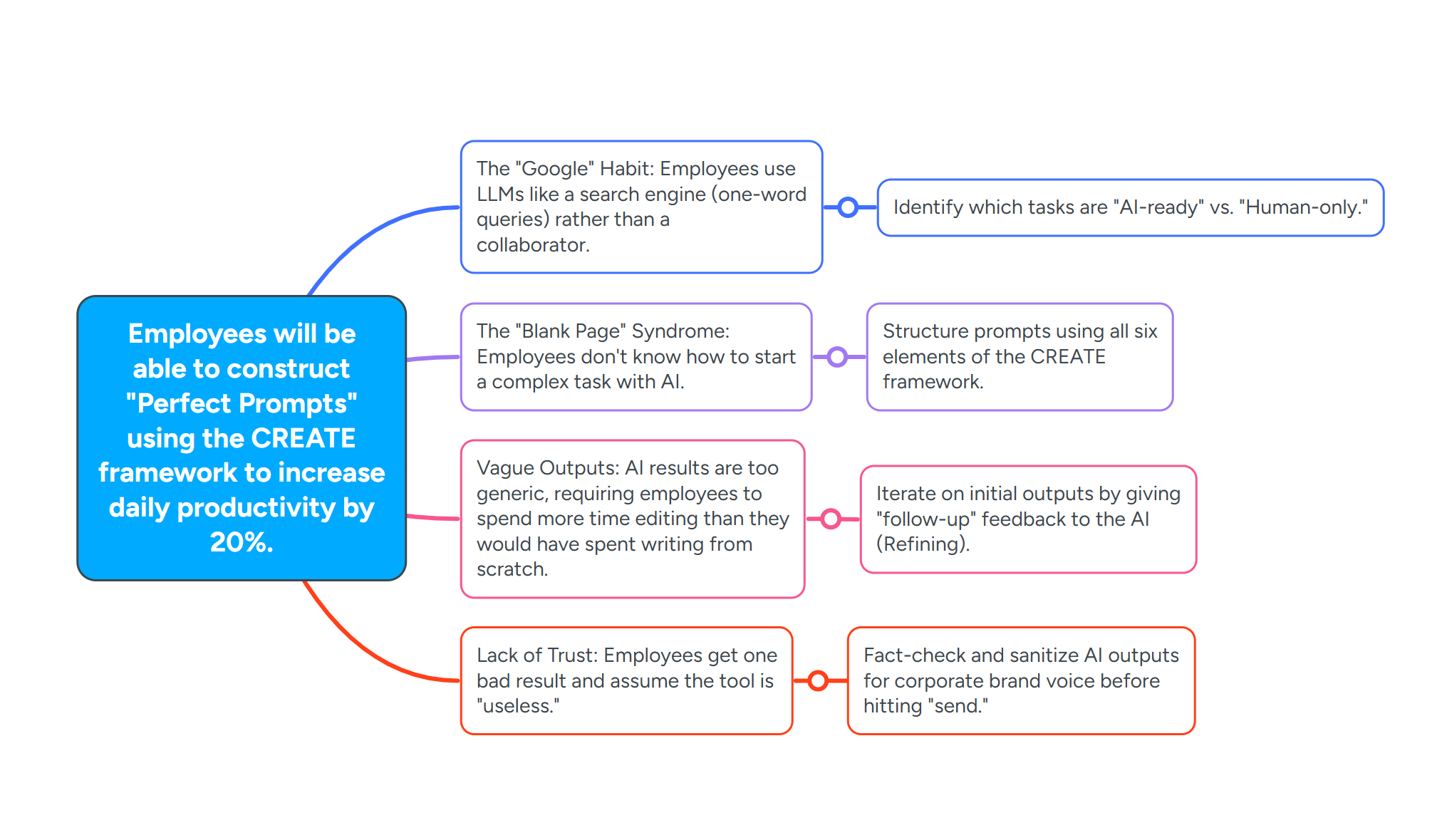
Before writing a single line of dialogue or opening Storyline, I mapped the four specific behavioral gaps preventing employees from prompting effectively — from treating AI like Google, to giving up after one bad result. Each gap was mapped to a targeted instructional strategy to ensure every design decision served a real performance need.
Learning Objectives
Derived directly from the action map — every objective maps to a real performance gap.
Distinguish between a "Search Engine" query and an "LLM" prompt based on a series of workplace scenarios.
Construct a "Perfect Prompt" for a specific departmental task (e.g., an HR policy summary) using the CREATE framework.
Critique a low-quality AI output and provide three specific refinement instructions to improve the tone and accuracy.
Convert a 50-page technical document into a 3-bullet executive summary using persona-based prompting.
Text-Based Storyboard
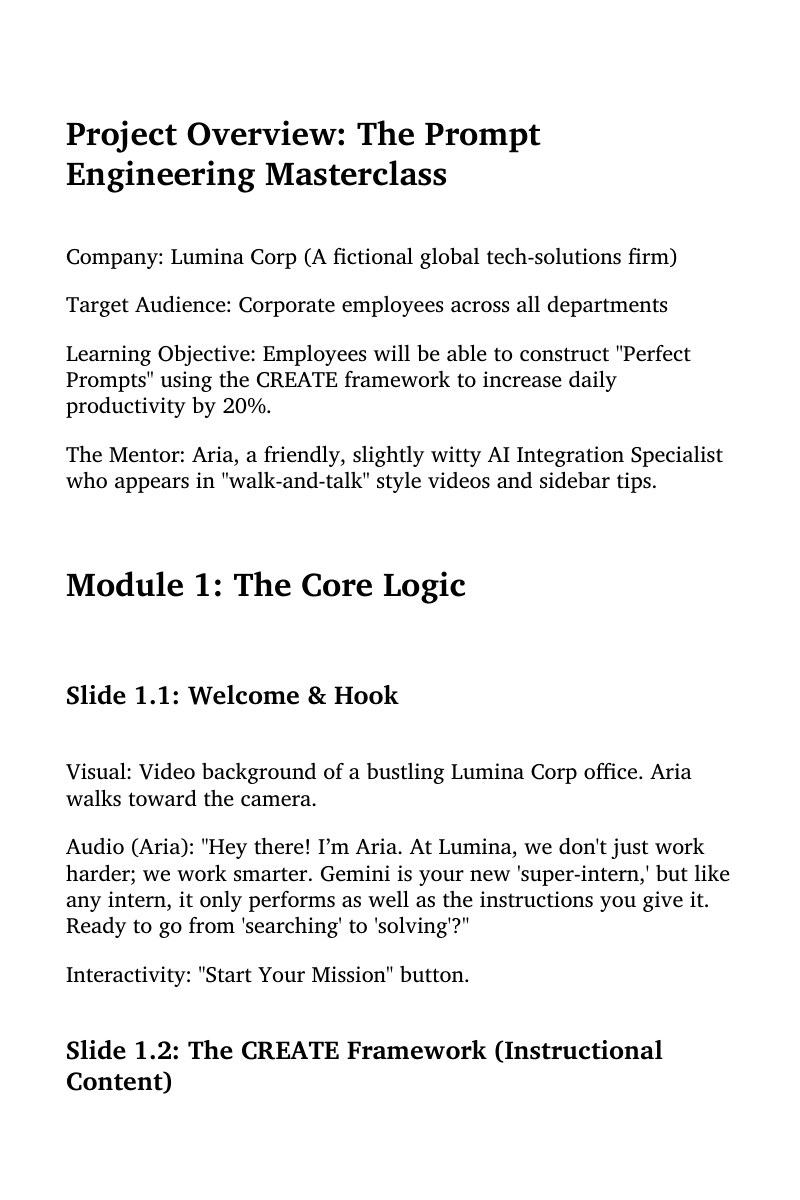
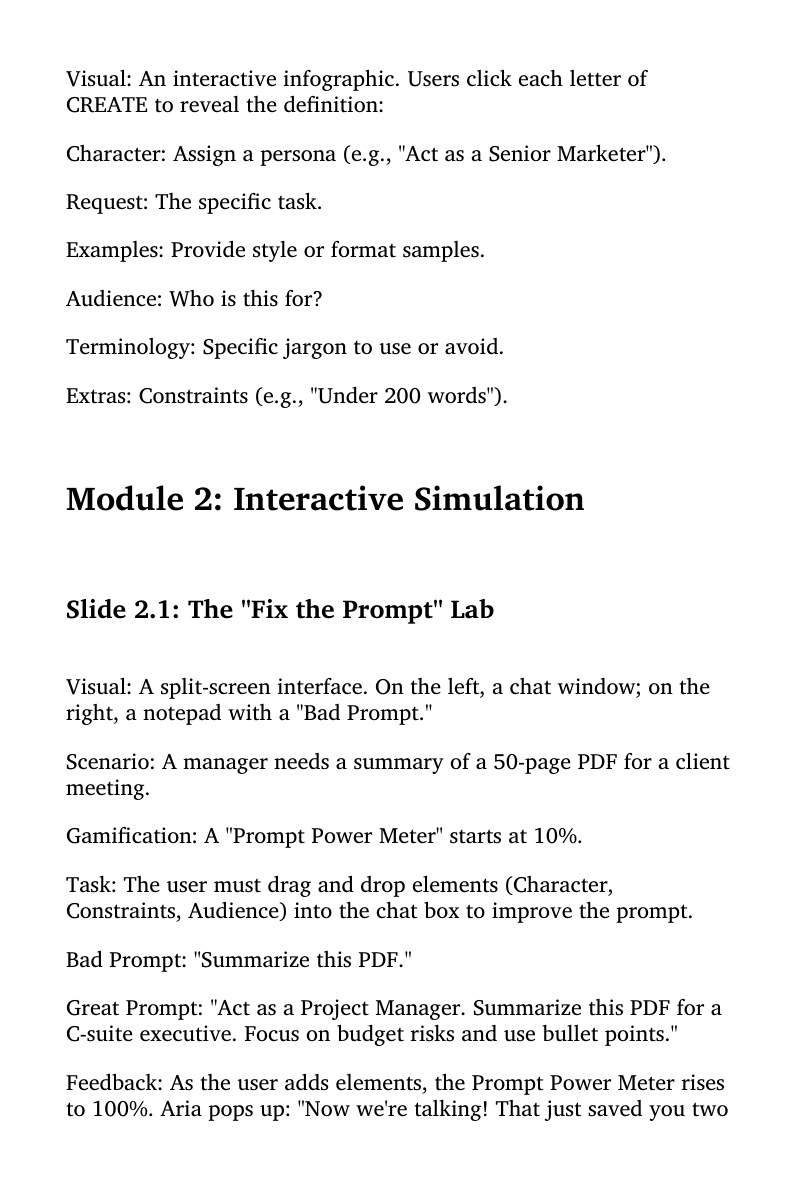
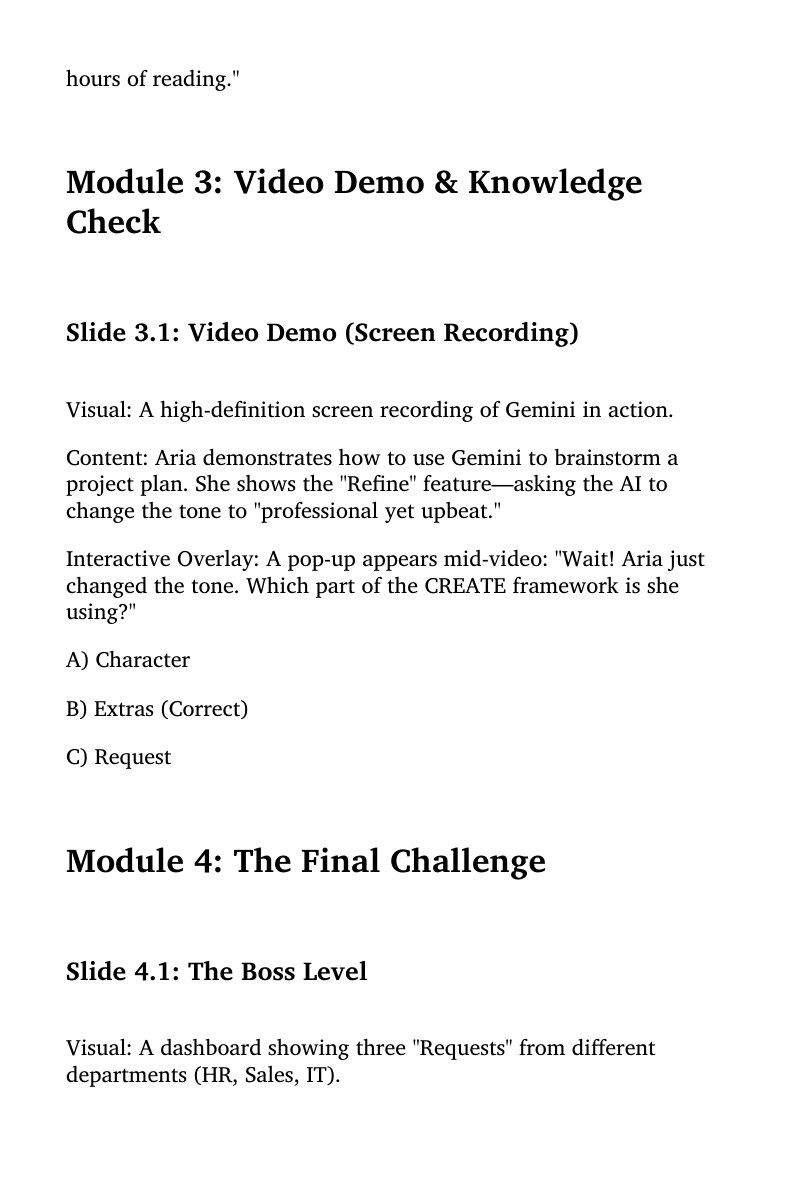
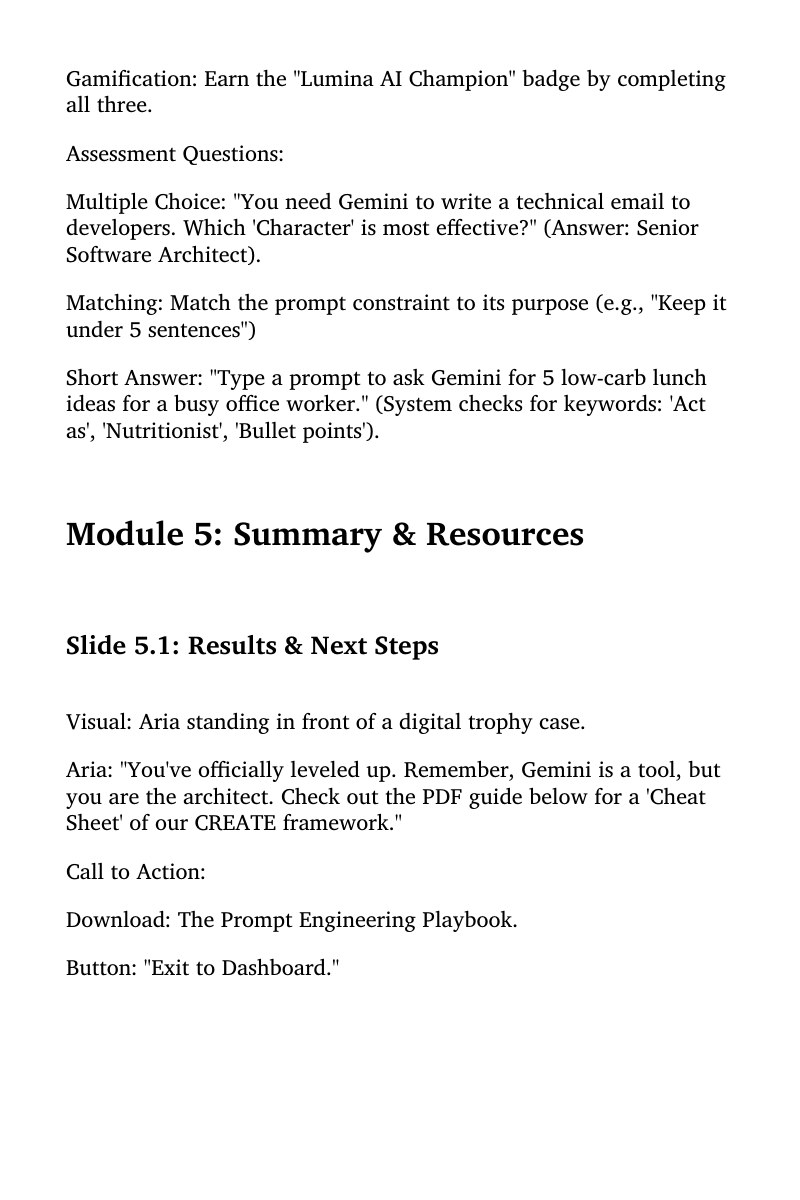
Before moving into development, I mapped out the entire user experience using a detailed, text-based storyboard to align stakeholders on the narrative arc, visual assets, and complex branching variables. This document explicitly scripted Aria's mentorship dialogue, detailed the logic for the interactive "Prompt Power Meter," and established the programmatic triggers for the drag-and-drop workspace. Taking this approach ensured that all interactive loops directly supported the core learning objectives.
Storyboard Pages — swipe to browse · click to expand
Visual Mockups
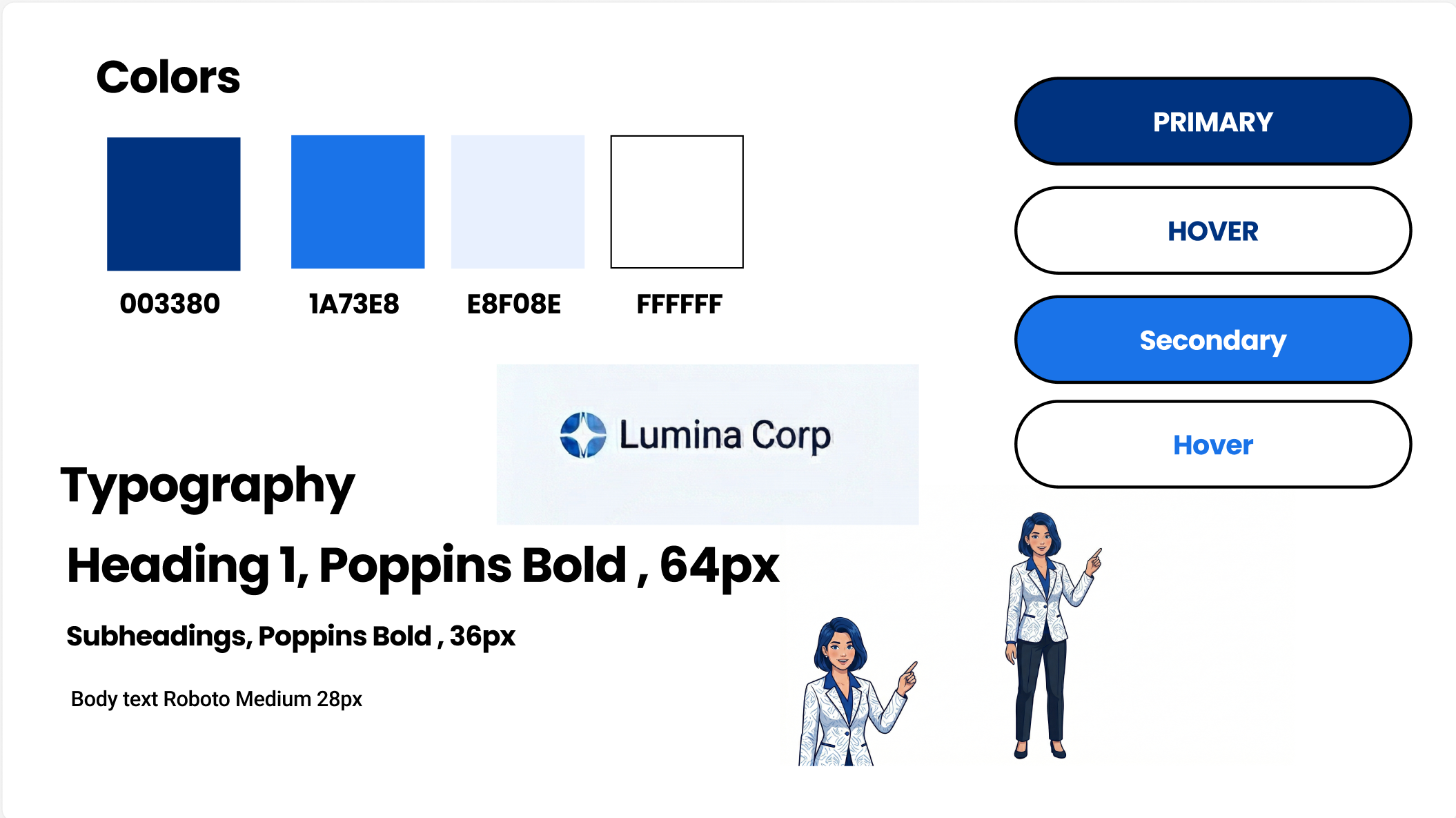
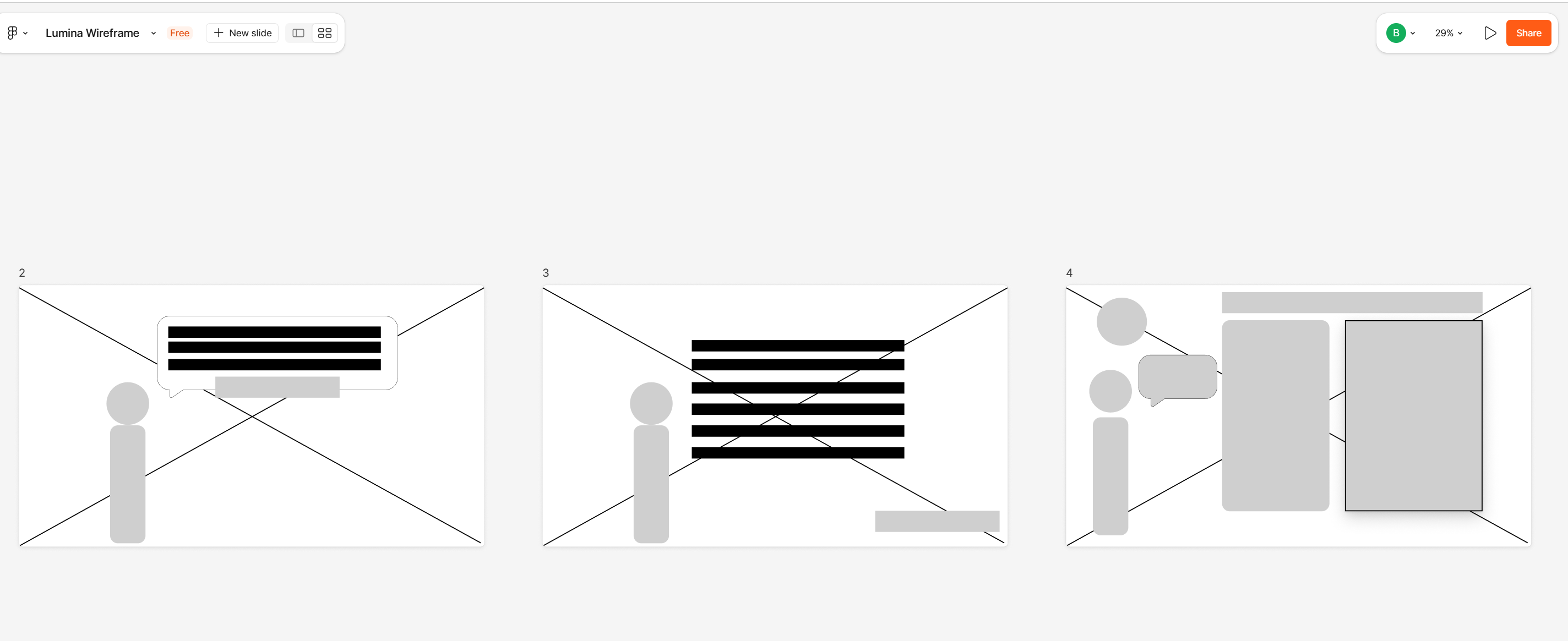
To maintain strict alignment with Lumina Corp's corporate branding, I established a comprehensive visual style guide and high-fidelity slide mock-ups in Figma. I utilized a clean corporate blue and white palette featuring deep navy (#003380) for high-contrast, accessible UI buttons. Designing these layouts in advance ensured a modern, uncluttered aesthetic while streamlining layout constraints and asset composition before technical development.
Interactive Prototype
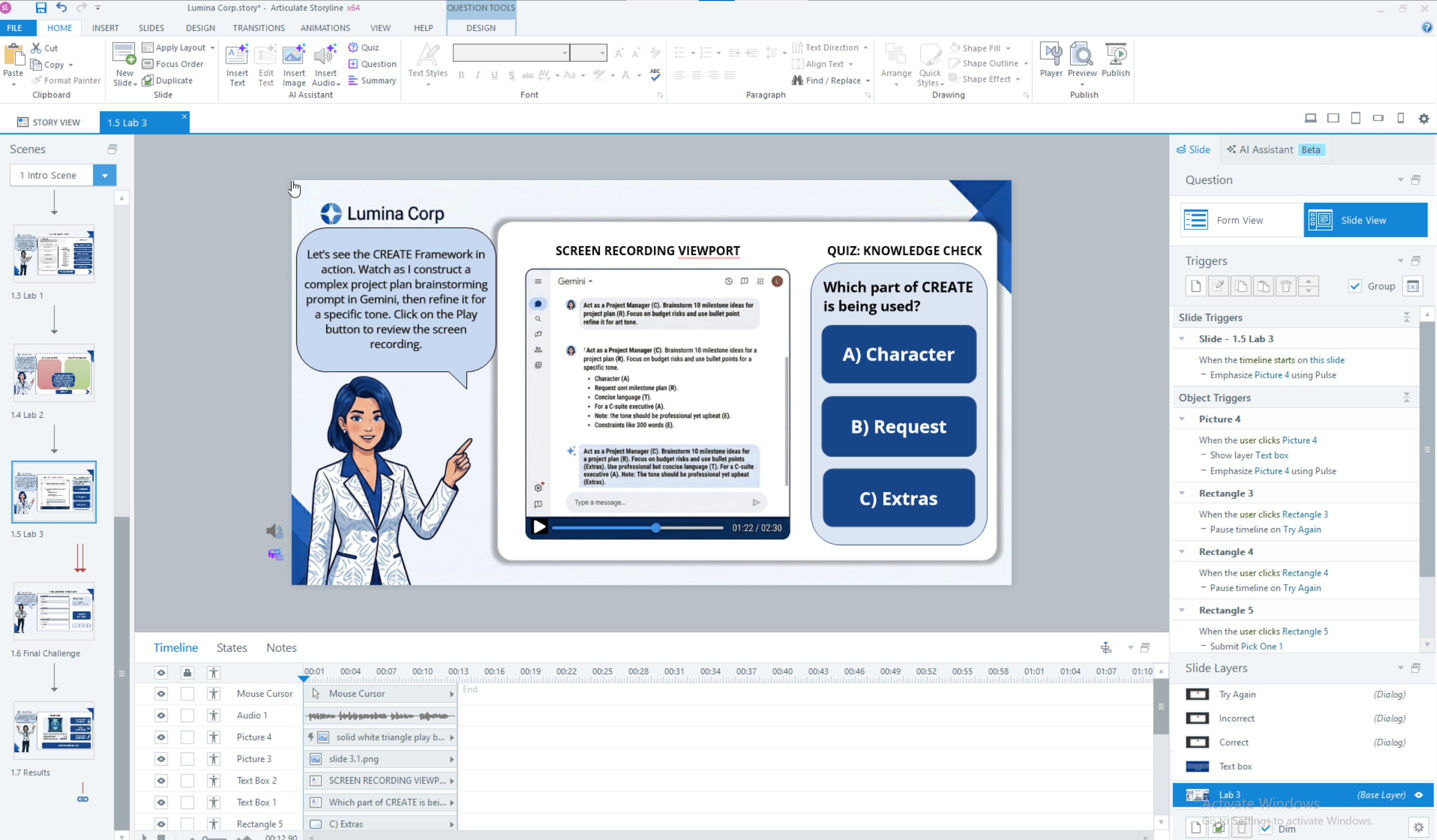
Using Articulate Storyline, I developed a functional, low-fidelity interactive prototype focusing specifically on the high-stakes "Fix the Prompt Lab." This allowed me to test the technical feasibility of the custom drag-and-drop mechanics, variable-driven power meters, and conditional triggers. Gathering early user feedback on the prototype ensured the interface was intuitive and that the gamified mechanics enhanced — rather than distracted from — the educational content.
Full Development
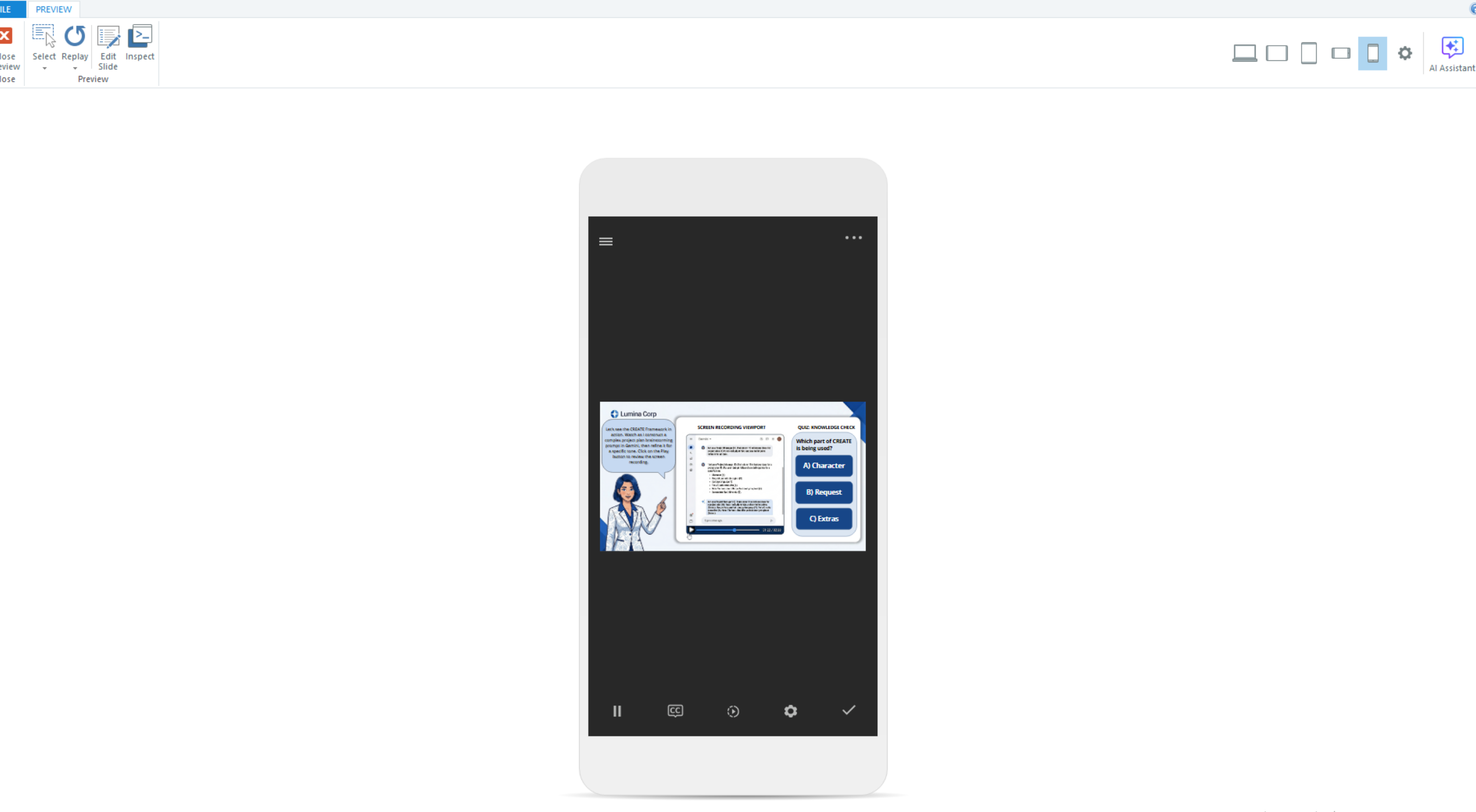
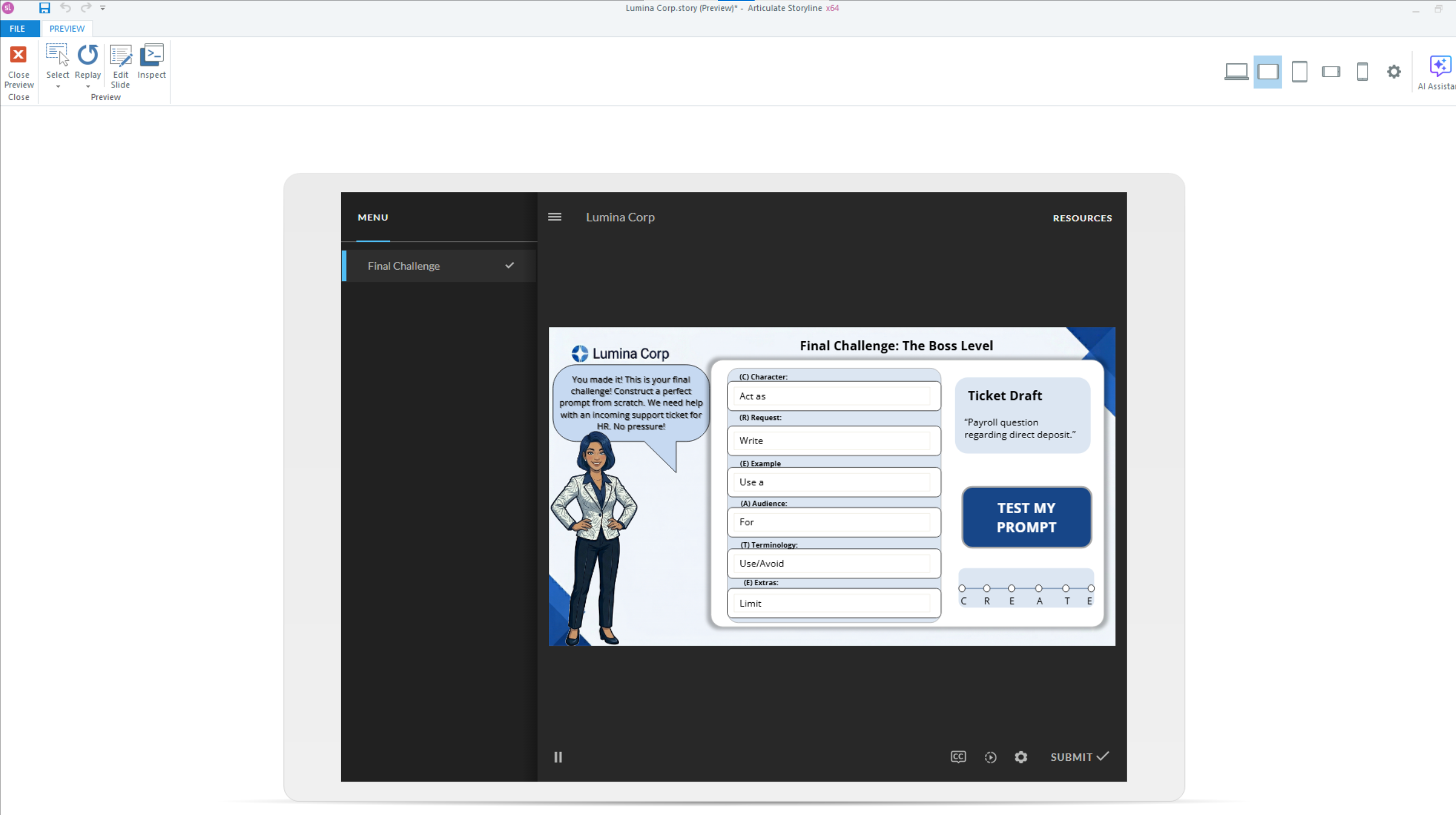
The full build integrated custom multimedia assets, voiceover timing, and seamless animations to bring the Lumina Corp workspace to life. I programmed complex Storyline variables to dynamically track student scores across multiple scenarios, unlocking dynamic states in a "Digital Trophy Case" upon successful mastery of the CREATE steps. The final package was fully optimized, tested for rigorous quality assurance, and published as a responsive, accessible SCORM package ready for LMS deployment.
Key Takeaways
Three things that made this work
The CREATE framework needed to feel like a skill upgrade, not another acronym to memorize. Every design decision was built to make the methodology stick through doing — not reading.
The CREATE Framework
Naming the prompting methodology was the first design decision. A memorable acronym (Character, Request, Examples, Audience, Terminology, Extras) gives learners a mental scaffold they can recall mid-task. The name makes the invisible visible.
Avatar-Guided Practice (Aria)
Rather than passive instruction, learners discover the CREATE steps through scenarios guided by Aria, an avatar mentor. The character provides a safe voice for mistakes and course-corrections — making failure feel like coaching, not judgment.
The Prompt Power Meter
Real-time visual feedback on prompt quality keeps learners in a productive-challenge state. The meter makes abstract improvements tangible and gamifies the revision loop — learners revise not because they were told to, but because they want the bar to move.
Live Demo
Experience the Project
The full Articulate Storyline module — drag-and-drop interactions, Prompt Power Meter, and Digital Trophy Case all live. Best experienced on desktop.
Launch Module